Technology Hardware, Software, and Support Services

NCCU Information Technology Services

NCCU Information Technology Services (ITS) provides the technology resources, tools, and support that empower teaching, learning, research, and administrative operations across the university. Whether you need hardware, software, or technical assistance, this page serves as your guide to accessing the technology services and support available to the NCCU community.

Technology purchases at NCCU are guided by university, state, and information technology policies designed to ensure security, compliance, accessibility, cost-effectiveness, and compatibility with existing systems. Understanding these requirements helps departments make informed purchasing decisions while supporting the university’s mission and protecting institutional resources. Review the items listed below:

Software Policies:

Software used at NCCU is governed by university policies, licensing agreements, and established technology standards to ensure security, compliance and responsible use. Explore the resources below to learn about NCCU's software policies, software licensing guidelines, the software acquisition process, and the role of Software Stewards in supporting the responsible evaluation, procurement and management of software across the university.

Thoughtful technology acquisition is about more than purchasing tools; it's about investing in solutions that advance learning, innovation, security, and institutional success.

What Is a Technology Purchase?

Technology at NCCU includes any tool (hardware, software, or cloud service) that connects to the NCCU network and uses NCCU data in any way (accesses it, collects it, or stores it).

  • Hardware is the physical equipment you can touch, like devices that connect to the network or store data. Examples include computers, laptops, servers, phones, tablets, kiosks, barcode scanners, cameras, and other equipment.
  • Software is any program or application installed on (or run by) a computer, server, phone, or other device, including both traditional on-premises software you install yourself and cloud-based Software as a Service (SaaS) apps you access over the internet.
Student working on laptop

NCCU recommends several hardware vendors to accommodate your computer needs. Visit Eagles' Purch to view the recommended models from our preferred vendors, Apple, Dell and Lenovo, within each of their punch-out areas.

nurse sitting outside, with a laptop on lap

NCCU has created partnerships with leading technology providers, Apple, Dell, and Lenovo, creating exclusive opportunities for both students and employees to access high-performance, fully featured devices at significant discounts.

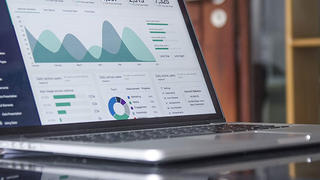
Laptop on a table with statistics on the screen

At NCCU, faculty, staff, and students can find information about the software available for academic, research, and administrative purposes. Our goal is to make software access easy, secure, and compliant with university policies.